Running sync tasks
Learn how to use Infrahub Sync's commands to calculate differences, synchronize data, and apply previously cached plans against your destination.
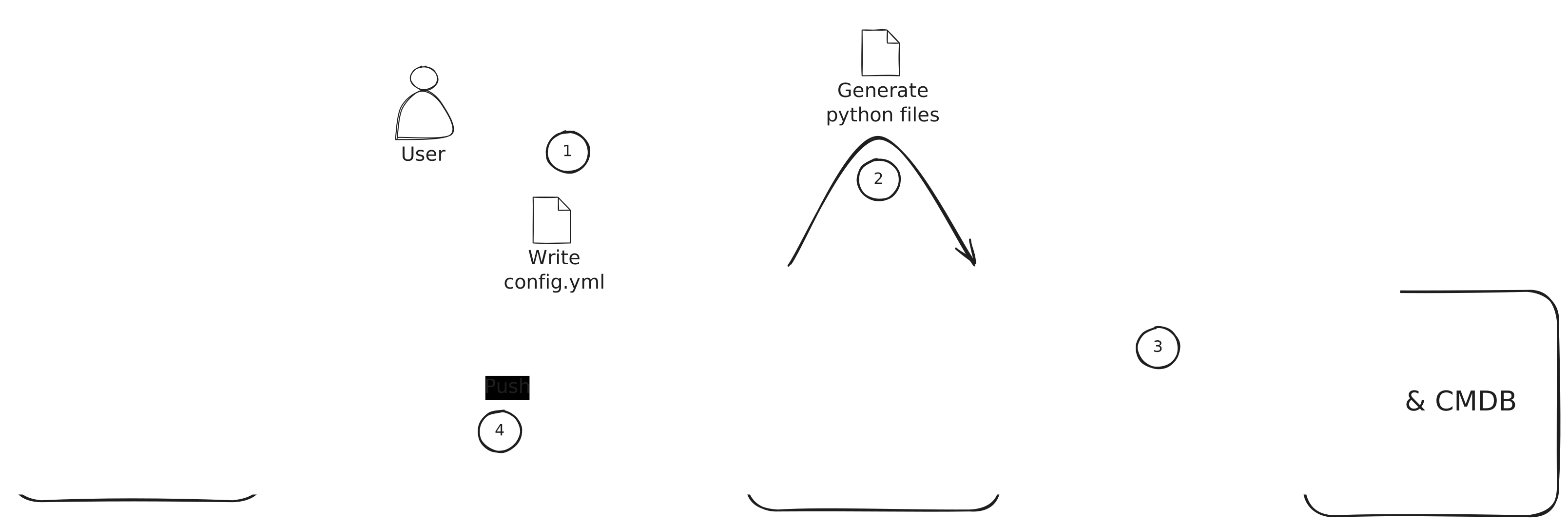
Before you can run a sync, you need a configuration file. To create a new configuration, see the Creating a new Sync Instance guide.
Listing available sync projects
infrahub-sync list --directory <your_configuration_directory>
Prints every sync project found under the given directory along with its source, destination, and on-disk location. Useful as a quick sanity check.
Calculating differences
The diff command compares the source and destination without writing anything to the destination. It also writes a Parquet plan to the local cache so you can review the change set and replay it later with apply.
Command
infrahub-sync diff --name <sync_project_name> --directory <your_configuration_directory>
Parameters
--name— name of the sync project to diff.--directory— directory holding your sync configuration.--branch— Infrahub branch to diff against (defaultmain).--show-progress / --no-show-progress— toggle the per-resource progress bar.--run-id— re-use a specific cache run id; useful when you want to overwrite a previous run's plan in place.--concurrent-load / --no-concurrent-load— load source and destination concurrently (default on). Disable if a custom adapter isn't thread-safe; see Concurrent loads below.--full-extract / --no-full-extract— default on; re-extract everything every run. Pass--no-full-extractto enable the cursor-driven incremental warm path. See Incremental extraction.
Each invocation logs a Cached run <run_id> at <run_dir> line on success. Note that id — you can hand it to apply to dispatch the plan without re-extracting the source.
Synchronizing data
The sync command runs diff and immediately applies the changes to the destination.
Command
infrahub-sync sync --name <sync_project_name> --directory <your_configuration_directory>
Parameters
--name— name of the sync project to run.--directory— directory holding your sync configuration.--branch— Infrahub branch to sync against (defaultmain).--diff / --no-diff— print the diff before syncing (default on).--show-progress / --no-show-progress— progress bar during sync.--parallel / --no-parallel— run tier-by-tier using the auto-computed dep graph (default on). Requiresorder:to be omitted fromconfig.yml(see Auto-tiered execution). Falls back to serial whenorder:is set; a warning is logged so the no-op is visible.--allow-rowcount-drop / --no-allow-rowcount-drop— bypass the rowcount guardrail. Use only when you know the source intentionally shrank — otherwise sync refuses to proceed when any resource's row count has dropped by more than 50% since the last successful run.--continue-on-error / --no-continue-on-error— log and skip peer relationships whose identifier values are missing, instead of aborting the run. Useful when source data is partial; review the warnings before relying on the result.--concurrent-load / --no-concurrent-load— load source and destination concurrently (default on). See Concurrent loads below.--full-extract / --no-full-extract— default on. Pass--no-full-extractfor the cursor-driven incremental warm path; see Incremental extraction.
Example:
infrahub-sync sync --name my_project --directory configs --diff --show-progress
Concurrent loads
Source and destination loads run on a 2-thread pool by default. They hit independent services, write to independent in-memory stores, and write to disjoint cache subdirectories (A/ vs B/), so the two loads are safe to run in parallel — and roughly halve the wall-clock time spent in the load phase on real APIs.
Disable with --no-concurrent-load if a custom adapter you've plugged in isn't thread-safe (most aren't an issue — the built-in NetBox, Nautobot, and Infrahub adapters are all fine).
Tier-by-tier execution
When --parallel is set and order: is omitted, Infrahub Sync derives a write-order graph from the reference: entries in your schema_mapping and groups kinds into tiers. The engine narrows the destination's working set to one tier at a time, so no tier starts until every kind in the previous tier has finished writing. See Auto-tiered execution for the full rationale.
Rowcount guardrail
After a successful sync, Infrahub Sync writes a per-resource baseline to .infrahub-sync-cache/<sync>/last-successful-rowcounts.json. The next run reads it; if any resource has shrunk by more than 50% the sync refuses to proceed unless you pass --allow-rowcount-drop. The threshold catches accidents like a partially-restored source or a credential that lost permissions, where syncing would otherwise wipe legitimate data on the destination.
Reviewing and applying a cached plan
The cache pattern lets you split a run into two steps: produce a plan (diff), then apply it (apply). This is useful when you want a human approval gate, when the destination is briefly unreachable, or when you want to re-apply the same plan without re-fetching the source.
# 1. Dry-run — extracts source + destination, writes plan.parquet
infrahub-sync diff --name from-netbox --directory examples/

# Look at the logged line:
#   INFO | infrahub_sync.cli | Cached run 20260518T1430-abc12345 at .infrahub-sync-cache/from-netbox/20260518T1430-abc12345
#
# Inspect the diff or query the parquet directly with DuckDB:
#   duckdb -c "SELECT * FROM read_parquet('.infrahub-sync-cache/from-netbox/20260518T1430-abc12345/plan.parquet')"

# 2. Apply the cached plan — no source extraction
infrahub-sync apply --name from-netbox --run-id 20260518T1430-abc12345 --directory examples/
apply refuses to proceed if the destination's schema shape has drifted since the plan was built — the cached schema-sub-hash.txt must match the freshly-computed hash. When it doesn't, re-run diff to rebuild the plan.
For the full on-disk layout (per-resource Parquet snapshots, sidecar JSON files, the per-pipeline filelock), see the Cache layout reference.
Generating sync adapters and models
infrahub-sync generate reads your configuration file and emits Python code for the sync adapters and models used at runtime.
infrahub-sync generate --name <sync_project_name> --directory <your_configuration_directory>
You typically only run this once per configuration (and after editing config.yml).